

Your salon’s bookings, schedule and clients on your phone
AllBooking Pro is the app for specialists, owners and managers of salons that work on AllBooking.eu. Sign in with the same e-mail and password as in the salon dashboard, or with Google.

The app is free. App languages: English, Estonian, Russian.
What the app does
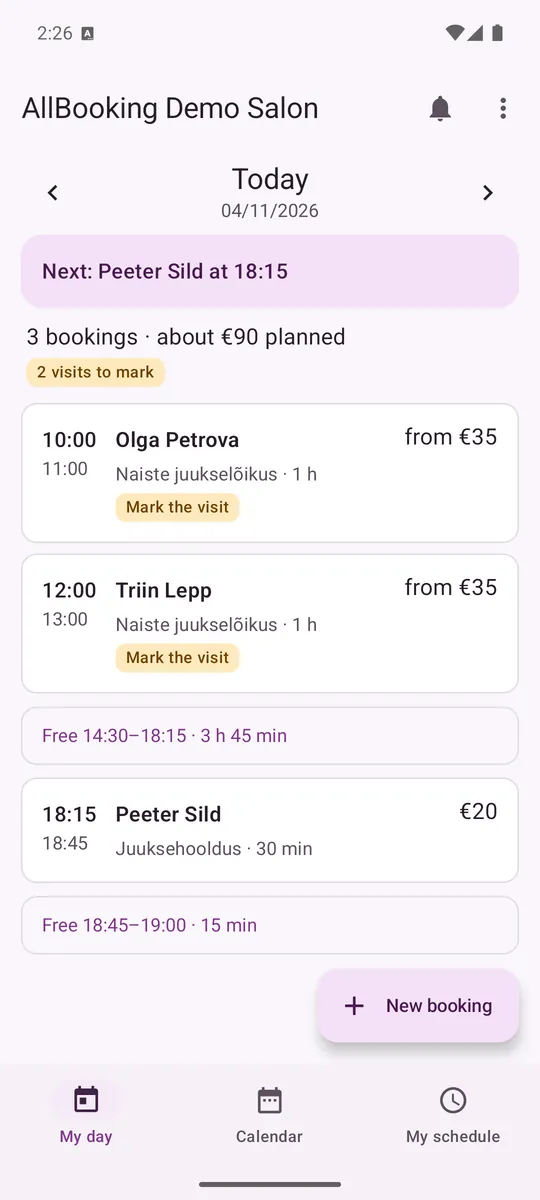
My day
Today’s bookings in order, who is next and in how many minutes, the free gaps between clients and the planned revenue. Tap a free gap to book a client into it right away.
Booking a client
Find a client by name or phone or add a new one, pick the service and a free time. Owners and managers can book with any specialist or with the first one free. A booking can be moved, cancelled, checked in and marked as visited or a no-show.
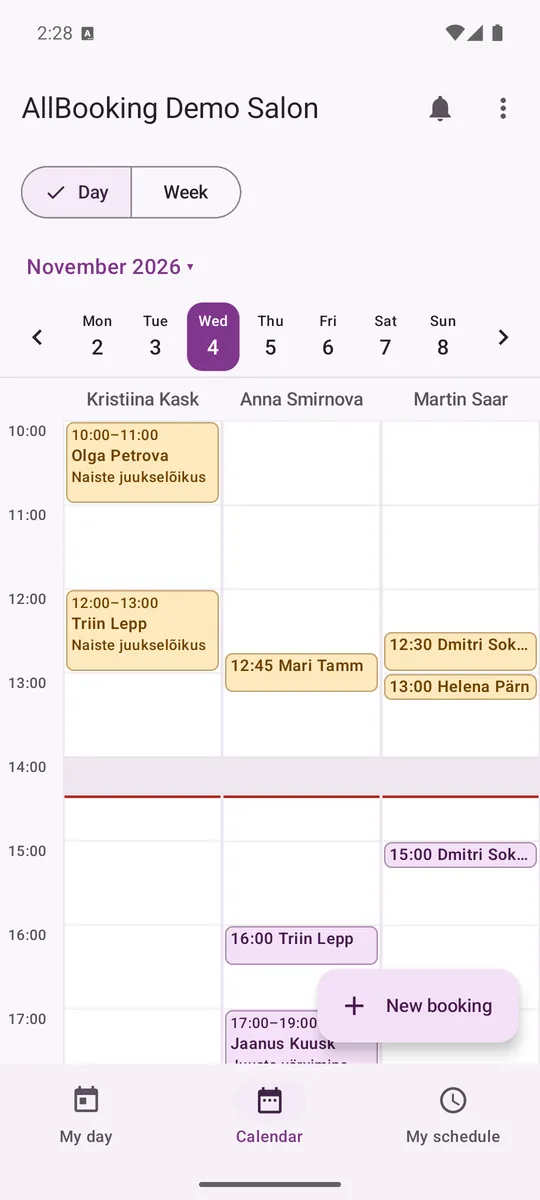
Calendar and client card
Day, week and month: the month shows how many bookings each day has and how busy it is; owners and managers see every specialist. The client card has contacts, the salon’s notes, past visits and no-shows — call or message on WhatsApp with one tap.
Notifications
Push notifications about new bookings, requests, moves and cancellations; confirm a request straight from its notification. If you like, a morning summary: how many bookings today and when the first one starts.
My schedule
The usual week with breaks, special days, vacation, sick leave and closed hours. When the salon lets a specialist keep their own schedule, it can be changed right in the app, including a floating schedule by dates.
For owners
The salon’s day in figures: bookings, planned revenue, no-shows, requests and each specialist’s load in percent. Days off and vacations for the team — from the app too.
Offline
Today and the week ahead are kept on the phone: the schedule is visible without internet, marked with the time it was saved.
What the app looks like
Calendar 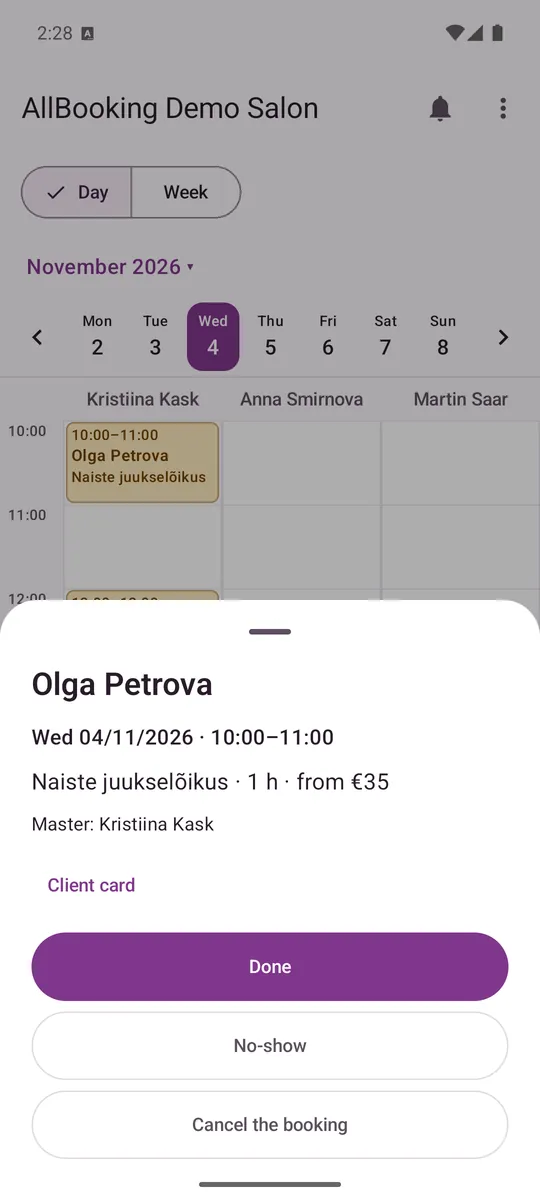
Booking 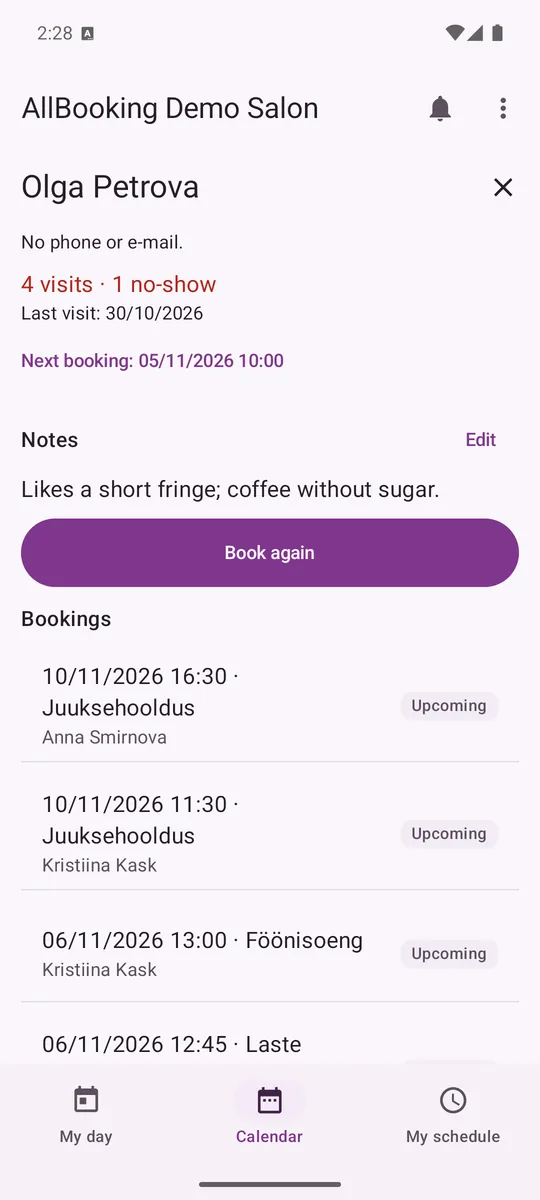
Client card 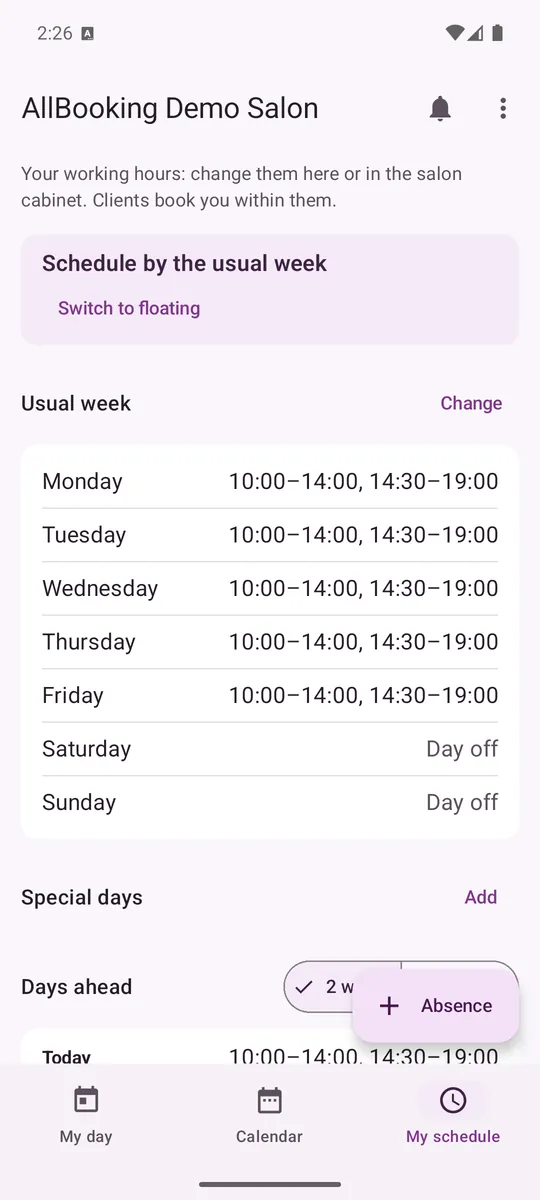
My schedule 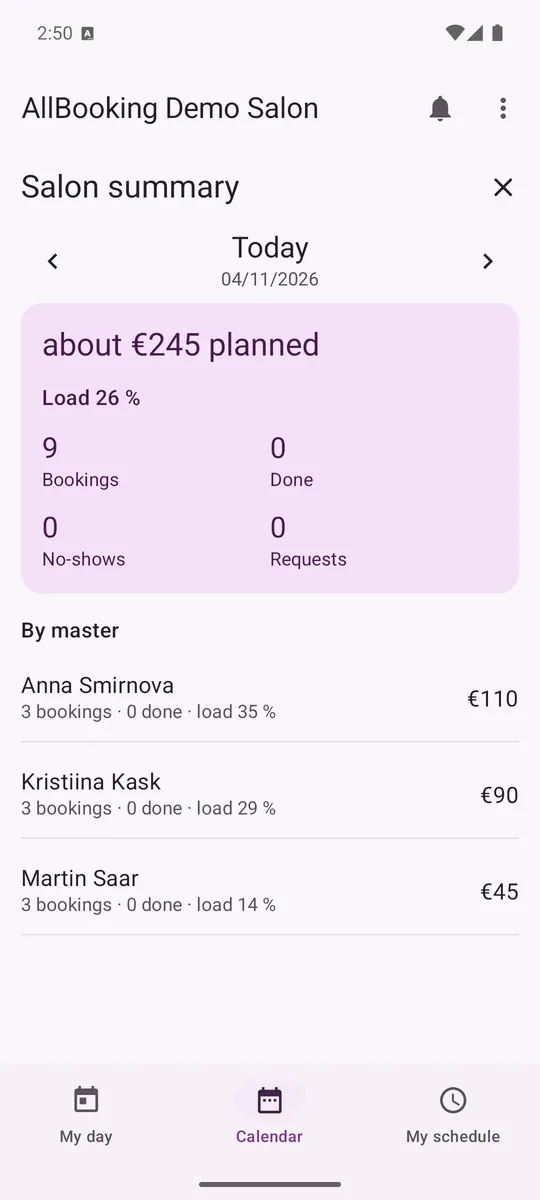
Salon summary
How to start
Connect your salon
The owner registers the salon on the website and adds services, specialists and opening hours.
Invite your team
An invitation goes to the e-mail in the specialist’s card in the dashboard. Once they accept it, they can sign in and see their own bookings.
Install the app
Everyone installs AllBooking Pro from Google Play and signs in with the same e-mail and password, or with Google. There is no sign-up in the app itself.
No salon on AllBooking.eu yet?
The app works with your salon on AllBooking.eu: connect it on the website, and the whole team gets bookings, schedules and clients on their phones.